On-brand AI images from one sentence. With and without your brand.

On-brand image is a DFIRST skill that turns a one-sentence description into a picture in your brand's look. Firsty, the DFIRST agent, reads your colours, style and product from Brand DNA, makes the same scene twice, with and without your brand, and puts the two side by side. The one you pick comes back in 1:1, 4:5 and 9:16.

  • The brand version shows your real product or logo
  • Both come from one scene, only your brand differs
  • Each version is labelled with what makes it different
On-brand imageYour draft stays on this device
Try an example
Start with Firsty

Join the waitlist to finish. Your draft stays on this device, and Firsty starts on it as soon as your access starts.

Examples. What you ask, what you get back.

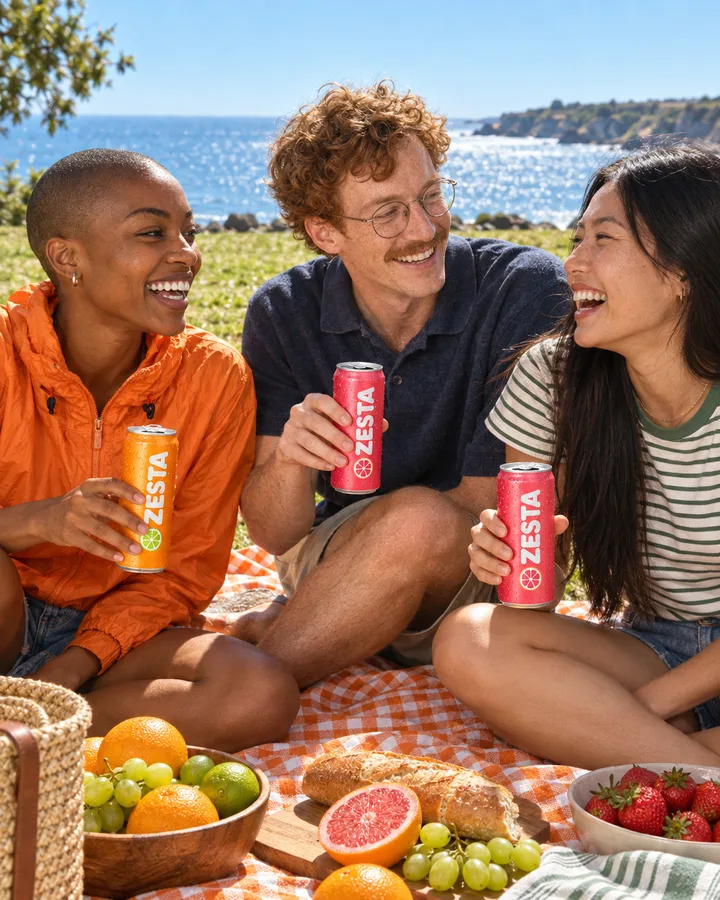
Three friends at a picnic by the sea, sharing our ZESTA cans. Sunny and relaxed, 4:5 for Instagram.

The same picnic came back twice. In the brand version the glass bottles became ZESTA cans, and the jacket, the blanket and the fruit took on its orange and pink. The friends, the sea and the framing did not change.
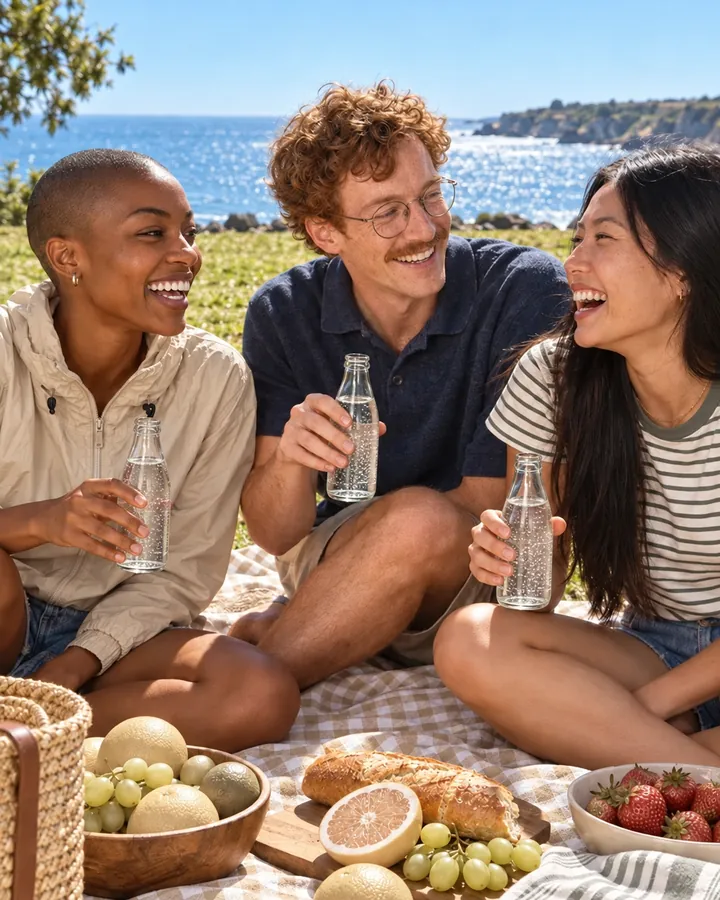
Three friends at a seaside picnic holding plain glass bottles, in beige and grey tones
Without your brand
The same picnic with pink and orange ZESTA cans, an orange jacket and an orange checked blanket
With your brand

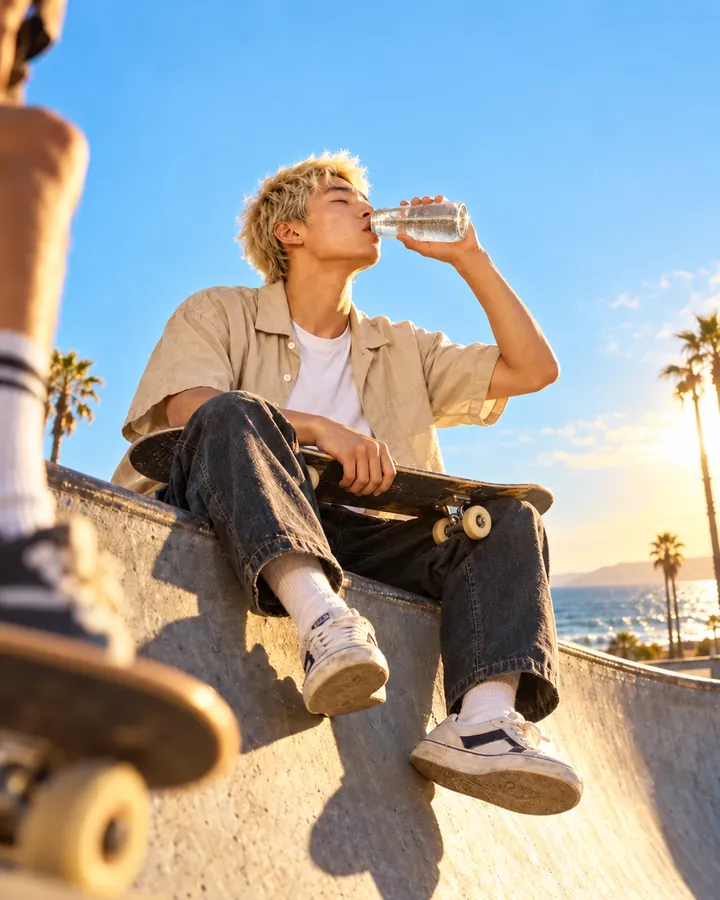
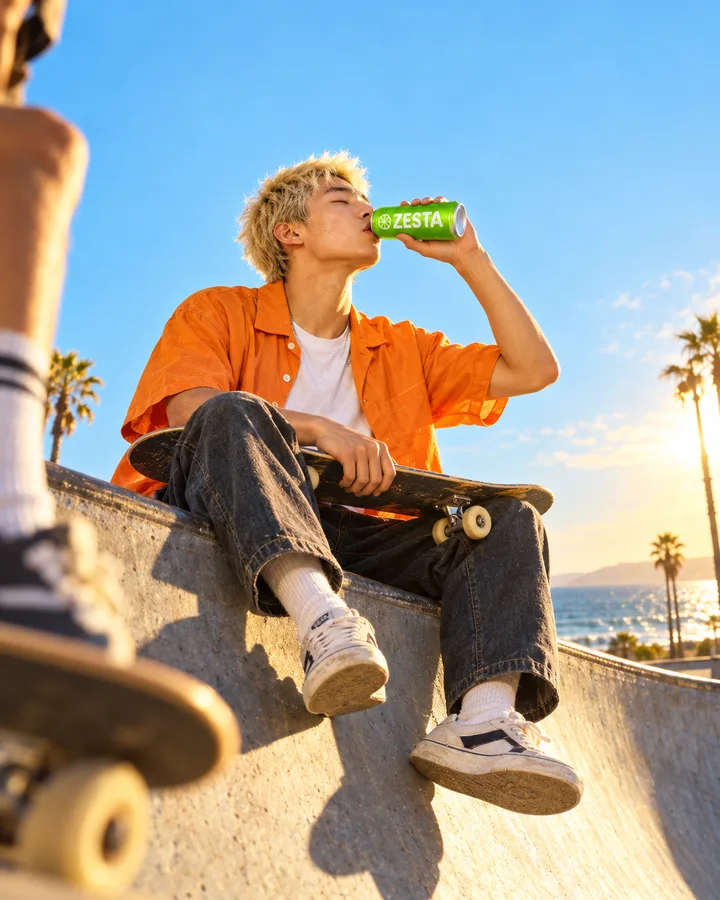
A skater taking a break on a ramp by the beach, drinking our Lime can. Golden hour, palm trees, low angle.

One scene, two versions, and only the brand differs: a green Lime can instead of a clear bottle, an orange shirt instead of a beige one. The brand version was picked and made in 1:1, 4:5 and 9:16.

A skater in a beige shirt drinks from a glass bottle on a ramp by the sea
Without your brand
The same skater in an orange shirt drinks from a green ZESTA Lime can
With your brand

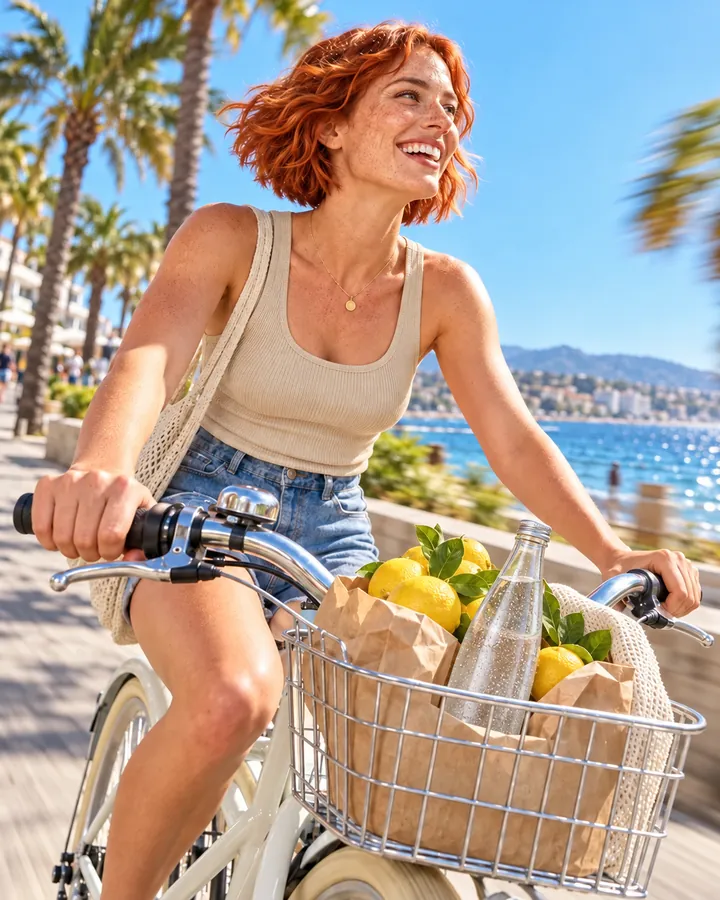
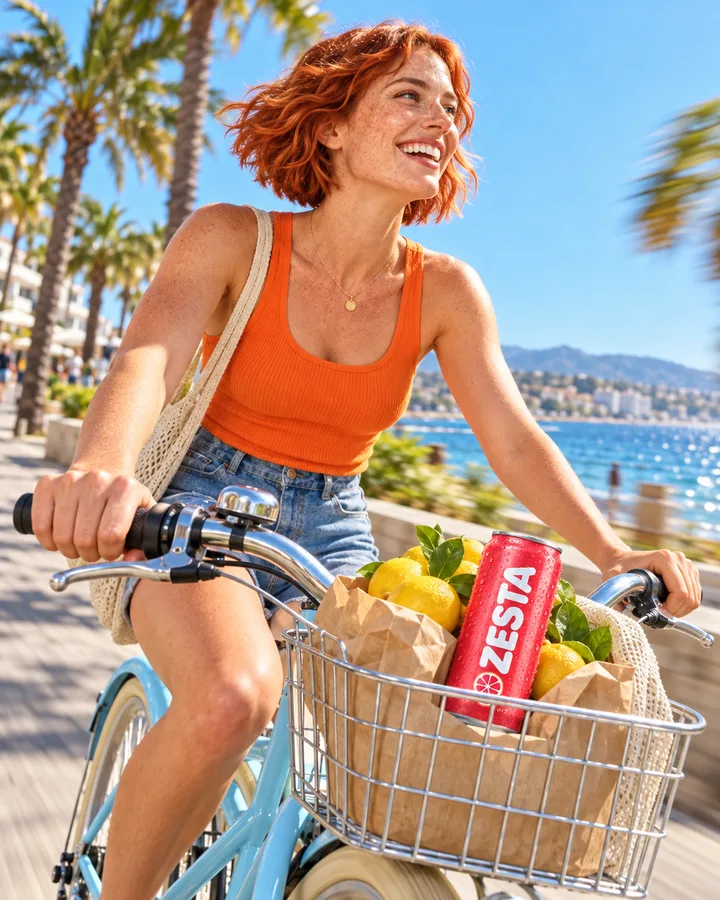
Show me a woman cycling along a seaside promenade with a Grapefruit can in her basket. I want to see what our brand adds.

Each version was labelled with what sets it apart. With the brand: a Grapefruit can, an orange top, a pale blue bike. Without it: a glass bottle and neutral colours. The rider, the lemons and the promenade match.

A woman in a beige top cycles along a promenade with lemons and a glass bottle in her basket
Without your brand
The same woman in an orange top on a pale blue bike, a ZESTA Grapefruit can among the lemons
With your brand

How it goes. The same steps every time.

Firsty follows the skill’s steps in order and stops where the choice is yours. Nothing paid starts without your yes.

  1. 1

    Firsty reads your brand's colours, style and product from Brand DNA

  2. 2

    Firsty makes the same scene twice, with and without your brand

  3. 3

    You compare the two versions side by side

    You pick the version with or without your brand

  4. 4

    Firsty makes your pick in 1:1, 4:5 and 9:16

Done when

  • The brand version shows your real product or logo
  • Both come from one scene, only your brand differs
  • Each version is labelled with what makes it different
  • Each size is measured to its exact ratio

At a glance.

What On-brand image needs from you and what it hands back.

You bring
One sentence about the picture you want. Name a product or a format if you like; without a format, the picture is square.
You get
Two labelled versions of one scene, with and without your brand, then the one you pick in 1:1, 4:5 and 9:16.
Your look
Colours, style and product come from Brand DNA. No Brand DNA yet? Firsty starts it from your website.
The comparison
The two pictures share one scene. Your brand is the only thing that changes between them.
Sizes
Each size is measured to its exact ratio before it reaches you.
Where it goes
Image cards on the board of your session.

Part of this skill. Each task also has its own page.

When you ask for one of these on its own, Firsty runs it with this skill.

Questions people ask.

About On-brand image and how it fits the rest of DFIRST.

How do I make AI images in my brand's style?

Describe the picture in one sentence, for example friends at a picnic with your product. Firsty takes your colours, style and product from Brand DNA and makes the scene in your look. It also makes the same scene without your brand, so you see exactly what the brand adds before you choose one.

Why do I get a version without my brand?

So the difference is something you can see, not something you are told. Both pictures come from one scene, and each is labelled with what makes it different. Sometimes the plain one fits better, for a blog header or a partner's channel, and you can pick it instead.

Do I need Brand DNA before I start?

It helps, because Brand DNA is where your colours, style and product are kept. If the workspace has none yet, Firsty starts it from your brand's website before making the picture. You can open Brand DNA later and correct anything that is off.

Will my product look exactly like the real one?

The brand version is checked to show your real product or logo. The picture is generated, though, so check the label and the small print before you publish. When every detail of the pack must stay as it is, start from a packshot with Packshot to 8 lifestyle scenes, which places your own cut-out.

Which sizes and formats do I get?

The two versions come in the format you name, or square if you name none. The one you pick then comes back in 1:1 for feeds, 4:5 for portrait posts and 9:16 for stories and reels, each measured to its exact ratio. For a finished ad with a headline, use Ad creatives.

See all 27 skills

Ask Firsty for it. It runs the skill with you.

Your request waits on this device until your access starts. DFIRST opens to people on the waitlist first.

Updated