
Make a short brand film with AI. Your real product in every shot.

Brand film is a DFIRST skill that makes a short film for your brand from a brief and your real product. Firsty, the DFIRST agent, finds your product photos and brand look, plans the shots, voiceover, captions and music for your approval, then makes and edits the film and watches it end to end before handing over one mp4.

  • The film is the length and language you asked for
  • It shows your real product, never a stand-in
  • The voiceover says exactly the words in the script
Brand filmYour draft stays on this device

02Your product photo optional

Try an example
Start with Firsty

Join the waitlist to finish. Your draft stays on this device, and Firsty starts on it as soon as your access starts.

Examples. What you ask, what you get back.

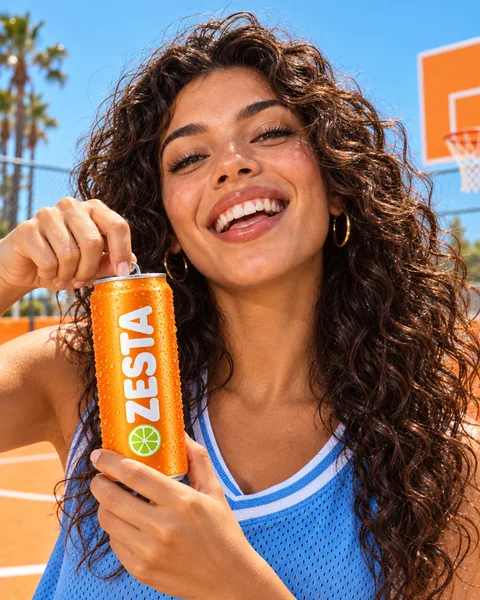
A short upbeat cut of the Tangerine can for the Instagram feed. 6 seconds, 4:5, picture only: we add a sound in the app.

One 6-second 4:5 mp4: a woman on the orange court opens the can, drinks and laughs. It is the real Tangerine can in every shot, and there is no voiceover, as asked.
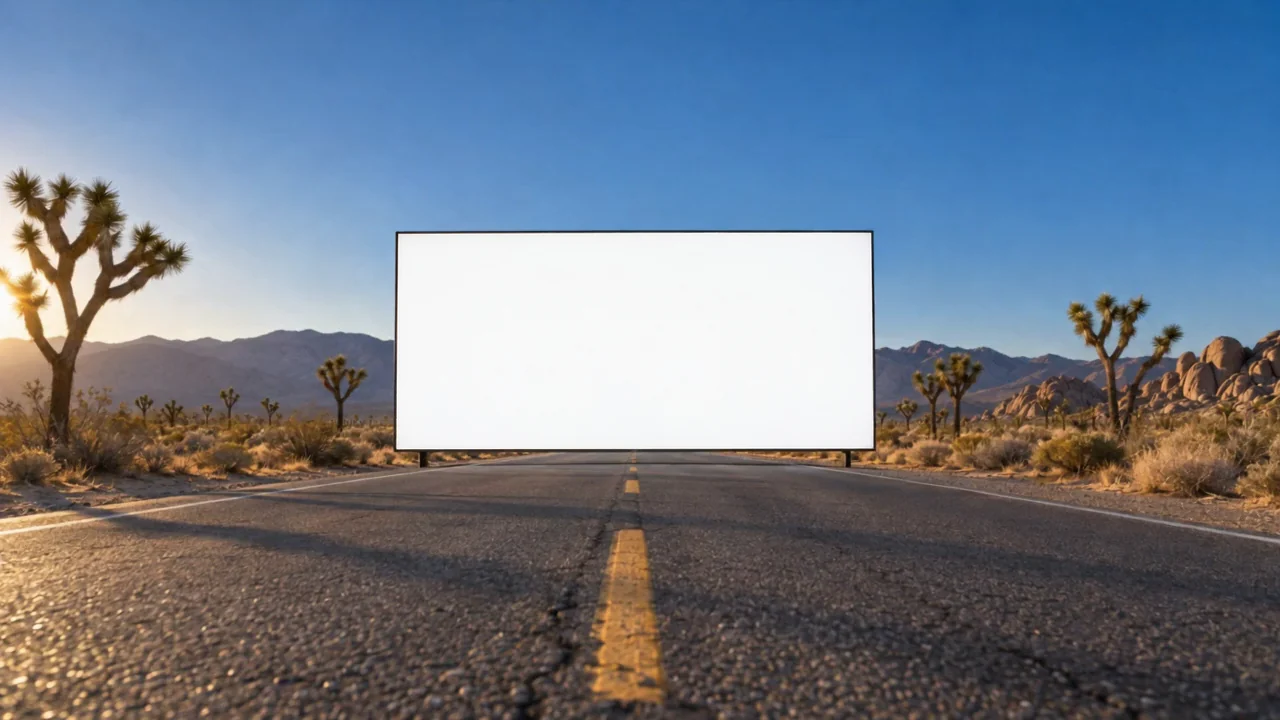
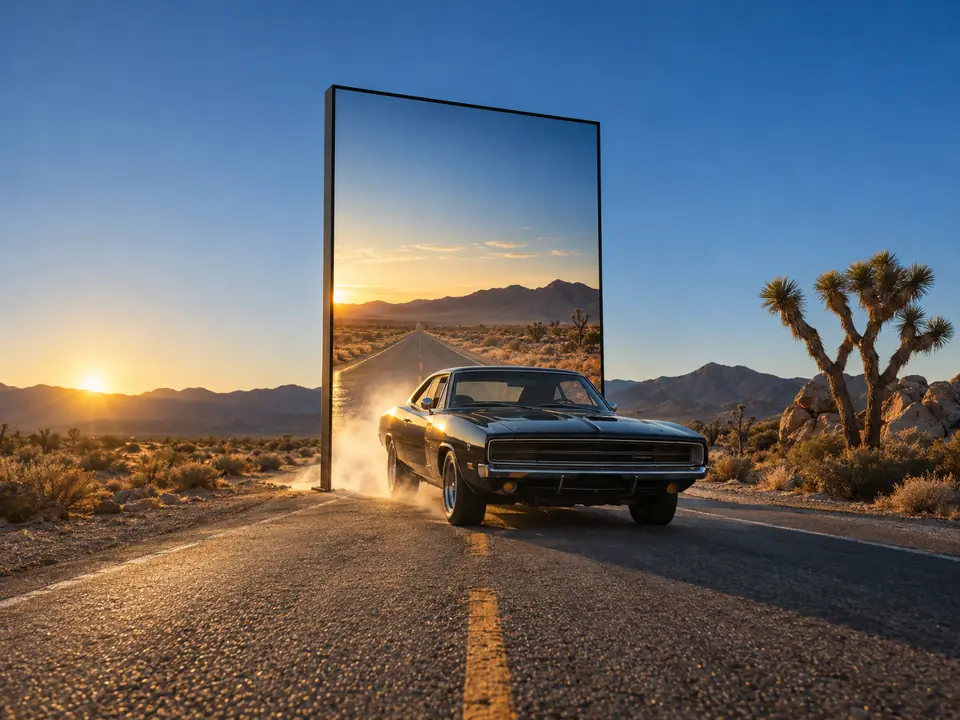
A 7-second 16:9 teaser for our desert road trips: our car bursts out of a roadside billboard. No voiceover, no music.

One 7-second 16:9 mp4: the car from your photos breaks out of the billboard and races past the camera. It came with the shots used and a note on what a second pass would improve.

Plan a 15-second road film first: a woman drives our car across a desert bridge. English voiceover, captions, calm guitar.

The plan came first: six shots, one voiceover line, the captions and the music on one card. Once it was approved, and after a second yes for the paid step, each shot was made to match it.

DocumentRoad film: the plan
Length
15 s, 16:9
Language
English
Status
Done Approved by Leo

Shots

  • 0:00 Wide: the car crosses the steel bridge towards us, low sun
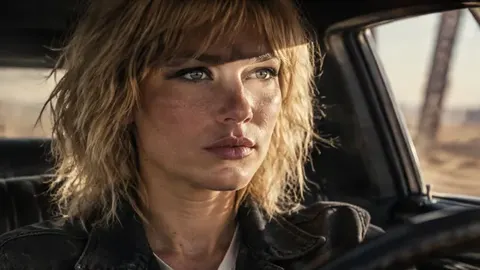
  • 0:03 Close: the driver at the wheel, girders passing the window
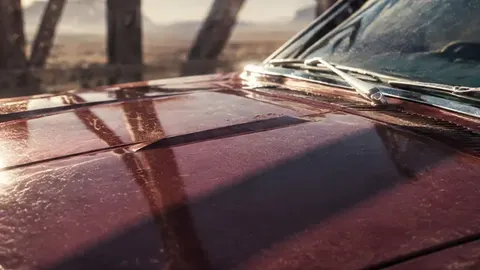
  • 0:05 Detail: light slides along the red bonnet
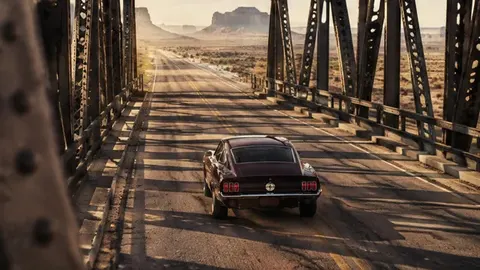
  • 0:07 Behind: the car pulls away down the bridge
  • 0:10 Close: the driver looks into the light
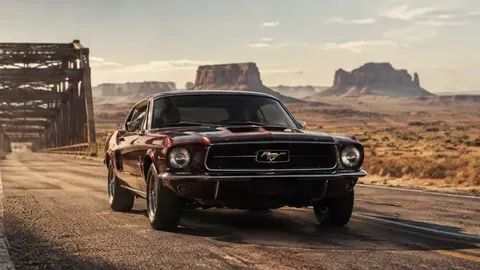
  • 0:12 Wide: the car leaves the bridge, mesas behind it

Voiceover

“The desert looks different from behind the wheel. Book your road trip.”

Captions and music

Captions follow the voiceover word for word. Calm guitar from the first shot, rising under the last one.

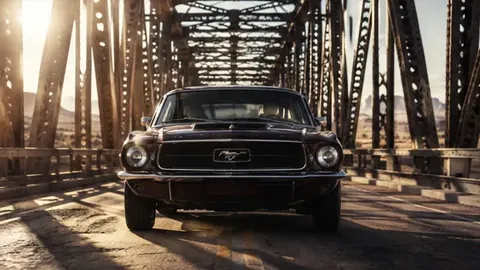
A dark red classic car on a steel bridge in the desert, low sun
Shot 1
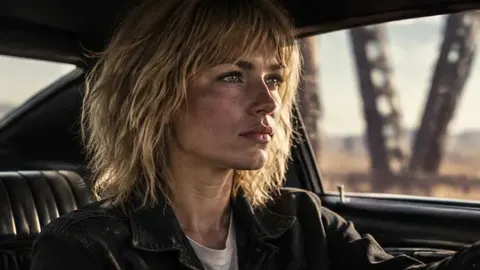
A woman with blonde hair driving, bridge girders in the window
Shot 2
Sunlight on the red bonnet of the car
Shot 3
The car driving away down the bridge
Shot 4
Close-up of the driver looking ahead
Shot 5
The car on a desert road with mesas behind it
Shot 6

How it goes. The same steps every time.

Firsty follows the skill’s steps in order and stops where the choice is yours. Nothing paid starts without your yes.

  1. 1

    Firsty finds your product photos, logo and brand look in DFIRST

  2. 2

    Firsty plans the shots, voiceover, captions and music

    You approve the plan before Firsty makes the film

  3. 3

    Firsty makes the shots, the voiceover and the music

    Asks before anything paid

  4. 4

    Firsty edits it all into one film with captions

  5. 5

    Firsty watches and listens to the whole film before handing it over

Done when

  • The film is the length and language you asked for
  • It shows your real product, never a stand-in
  • The voiceover says exactly the words in the script
  • Every second is looked at and the sound level measured

At a glance.

What Brand film needs from you and what it hands back.

You bring
A brief of a sentence or two, plus the length, the frame and the language when they matter. Without a length, Firsty makes 10 to 15 seconds.
Your product
Found in DFIRST as photos, a product page or a 3D model. With none, Firsty asks once for a link or two to four photos.
You get
One mp4 with its length and size, the shots used, the voiceover text and a note on what a second pass would improve.
The look
Taken from your Brand DNA when the workspace has one.
The plan
Shots, voiceover, captions and music on one card that you approve before any film is made.

Part of this skill. Each task also has its own page.

When you ask for one of these on its own, Firsty runs it with this skill.

Questions people ask.

About Brand film and how it fits the rest of DFIRST.

How do I make a brand film with AI?

Describe the film in a sentence: what it is for, the mood, the length and where it will run. Firsty finds your product photos and brand look in DFIRST, shows you a plan of shots, voiceover, captions and music, and starts only after your yes. It asks again before any paid step, then edits everything into one film.

Will the film show my real product?

Yes. The film is built from your own product photos, product page or 3D model, never a lookalike. If DFIRST has no picture of the product yet, Firsty asks one question: a link to the product page or two to four photos. It does not start the film without them.

What length and size can the film be?

The skill is made for short films. Without a length in your brief you get 10 to 15 seconds; ask for 6 seconds for a feed cut-down, or name the length you need. The frame is yours to choose as well: 9:16 for Stories and Reels, 4:5 for the feed or 16:9 for a website or YouTube.

Can I change the music or voiceover afterwards?

Every film comes with a note on what a second pass would improve, and you can ask Firsty for one. To put new music, effects or a voiceover under a finished film without touching the picture, use the Sound for a video skill.

Does Firsty post the film for me?

No. The finished mp4 stays in your session for you to download, share with your team or post yourself; Firsty does not publish it to Instagram, TikTok or YouTube. If you want only a script to start with, the video script generator writes one without making a film.

See all 27 skills

Ask Firsty for it. It runs the skill with you.

Your request waits on this device until your access starts. DFIRST opens to people on the waitlist first.

Updated