Ad banners from your product photos. Every size. Still editable.

Ad creatives is a DFIRST skill that builds ad banners from your own product shots, logo and words. Firsty, the DFIRST agent, designs each banner on editable layers, moves it into every size you need without redrawing it, makes sure no text sits on the product, and hands you an editor link per design and one ZIP of all files.

  • Your product looks exactly like in the photo
  • Text is readable and never sits on the product
  • Every size is measured to the exact pixel
Ad creativesYour draft stays on this device

02Your product or logo optional

Try an example
Start with Firsty

Join the waitlist to finish. Your draft stays on this device, and Firsty starts on it as soon as your access starts.

Examples. What you ask, what you get back.

3 banners for our new KINETRA running shoe from the photos I uploaded. Blue, bold, with our line.

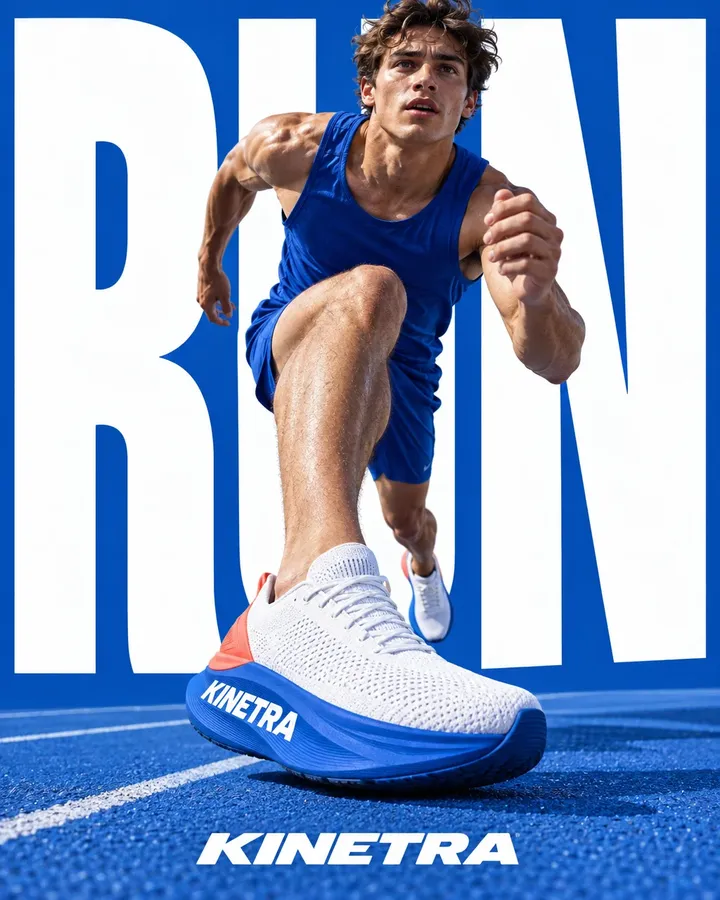
Three designs from the athlete and shoe photos, shown here in 4:5. Two carry the line, one leads with a single word, and each also came back in 1:1 and 9:16.
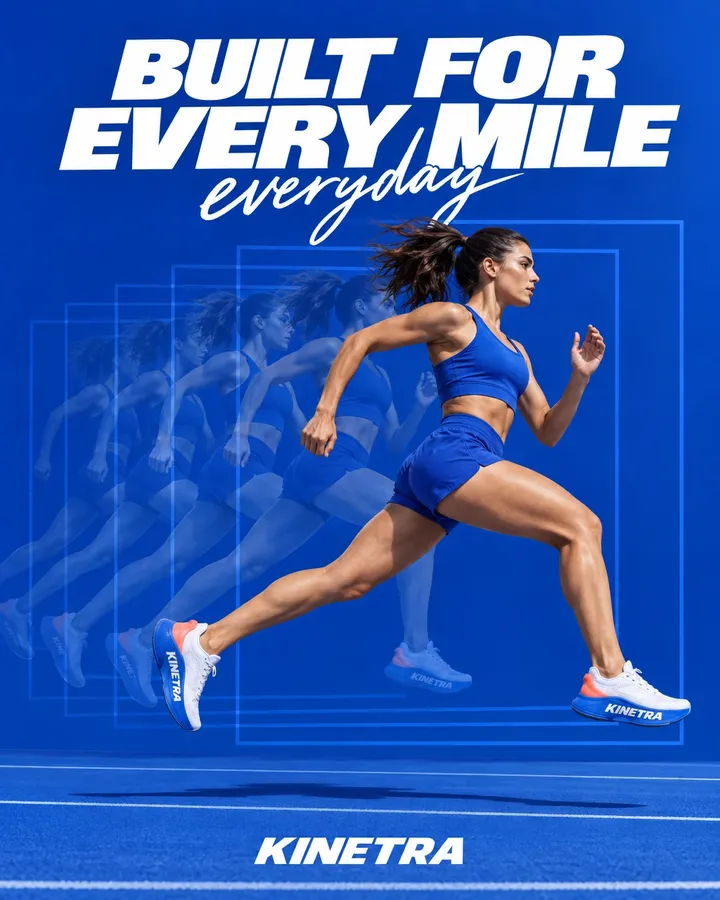
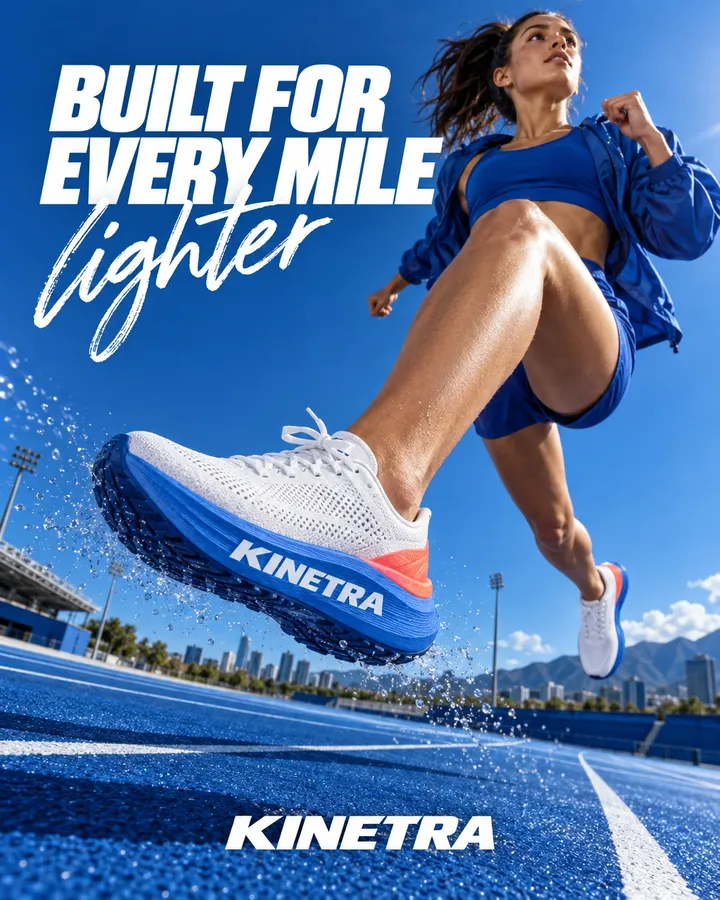
A runner in blue mid-stride on a blue track, headline Built for every mile
A runner leaps towards the camera in the KINETRA shoe, headline Built for every mile
A runner in the KINETRA shoe in front of the giant word RUN

A summer banner for SOL CLUB SPF 50, CTA 'Shop SPF 50', in 1:1, 4:5 and 9:16 for Instagram.

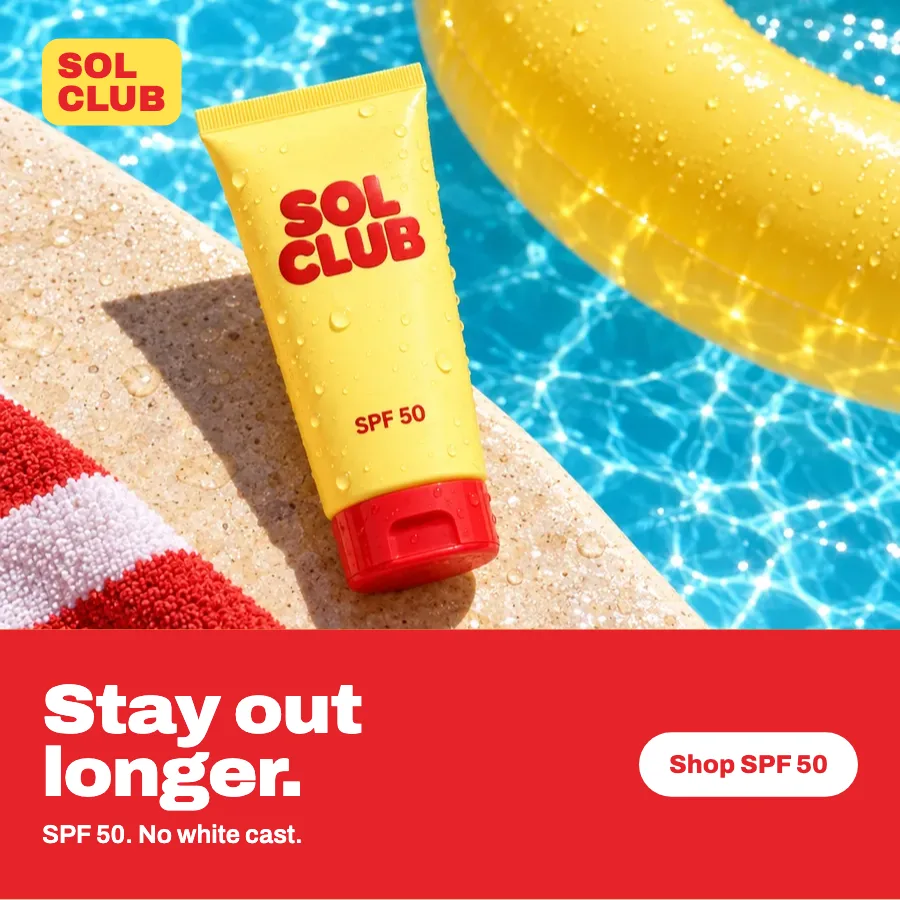
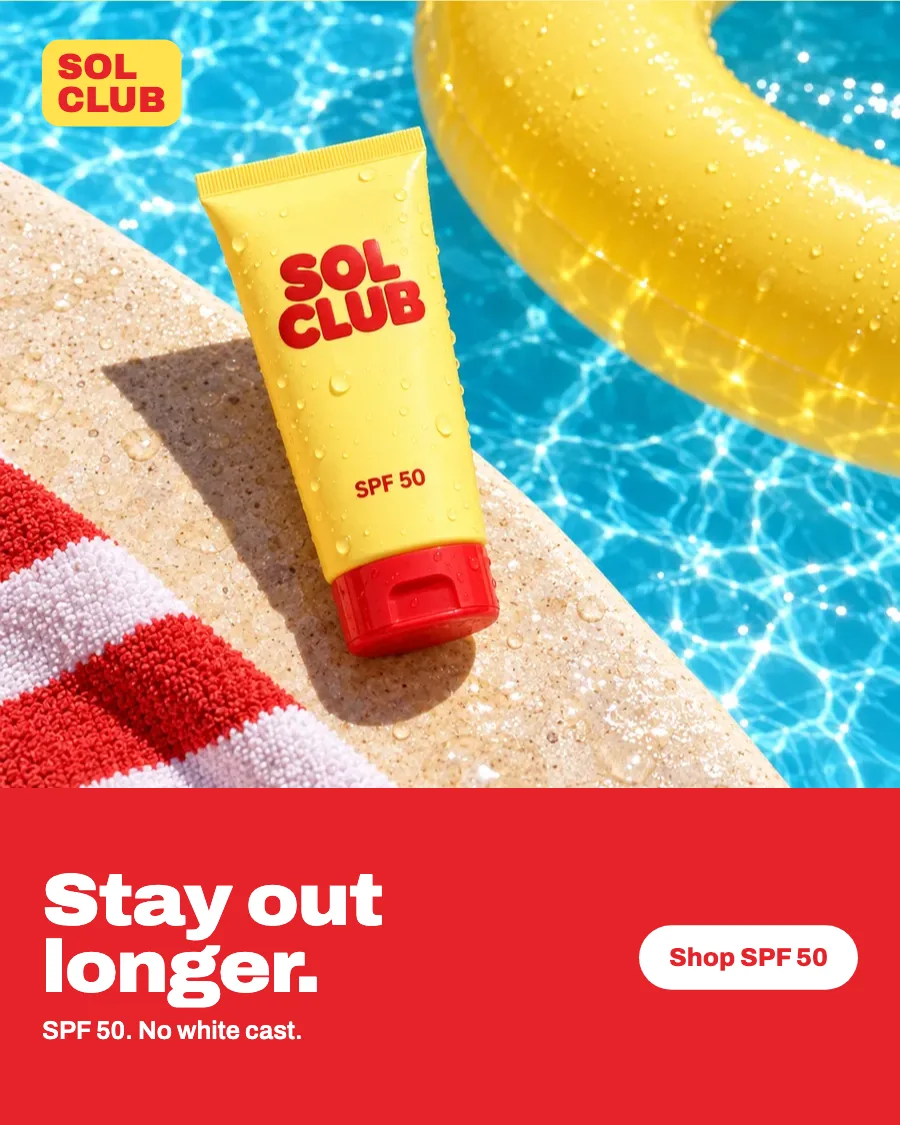
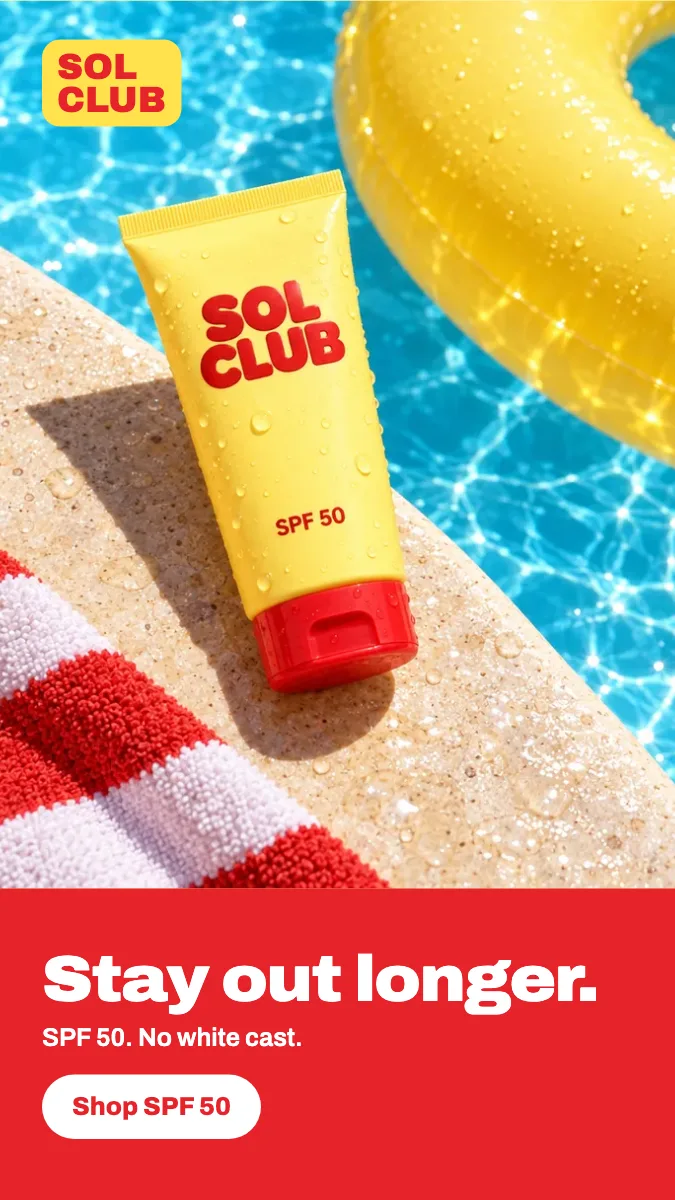
One design in three sizes. The tube stays whole in each, and the headline and button were placed again for every shape so neither covers it.

The SOL CLUB tube on a pool edge with the headline Stay out longer. and the button Shop SPF 50, square
Square, 1:1
The same SOL CLUB banner in portrait
Portrait, 4:5
The same SOL CLUB banner as a full-screen story
Story, 9:16

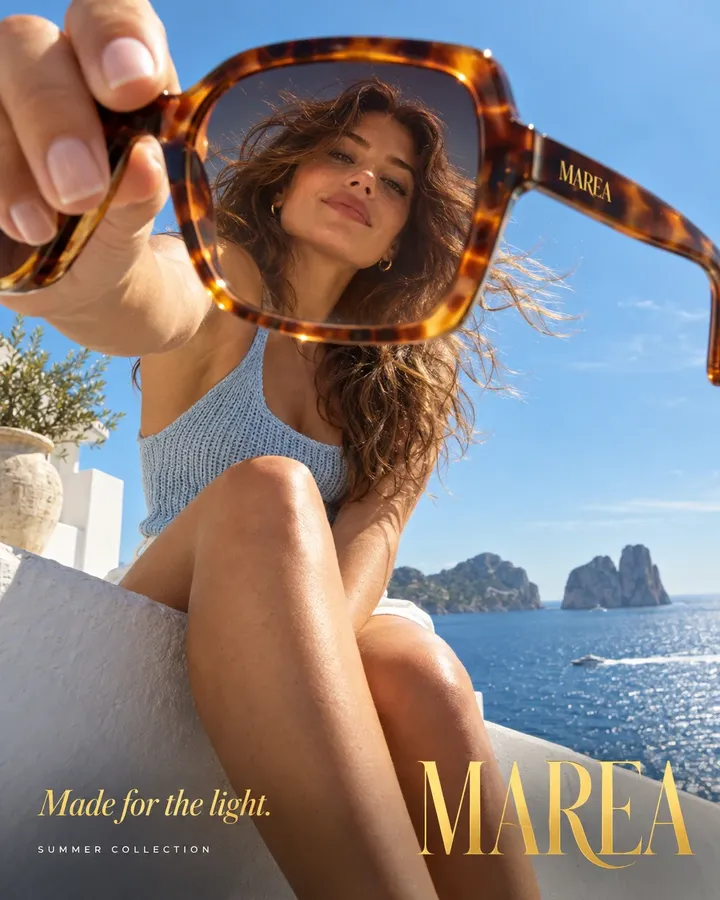
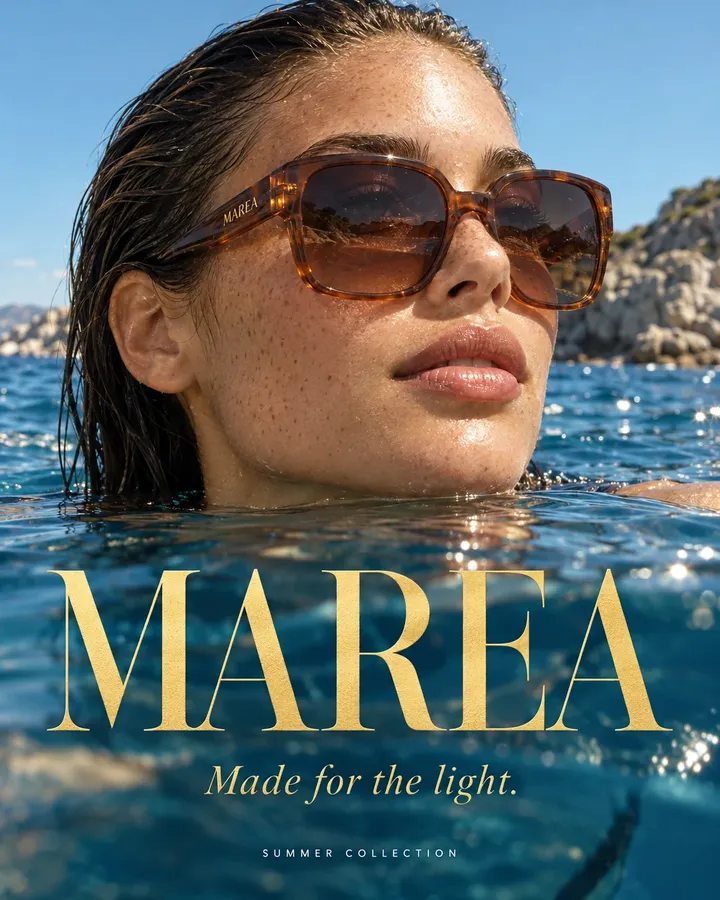
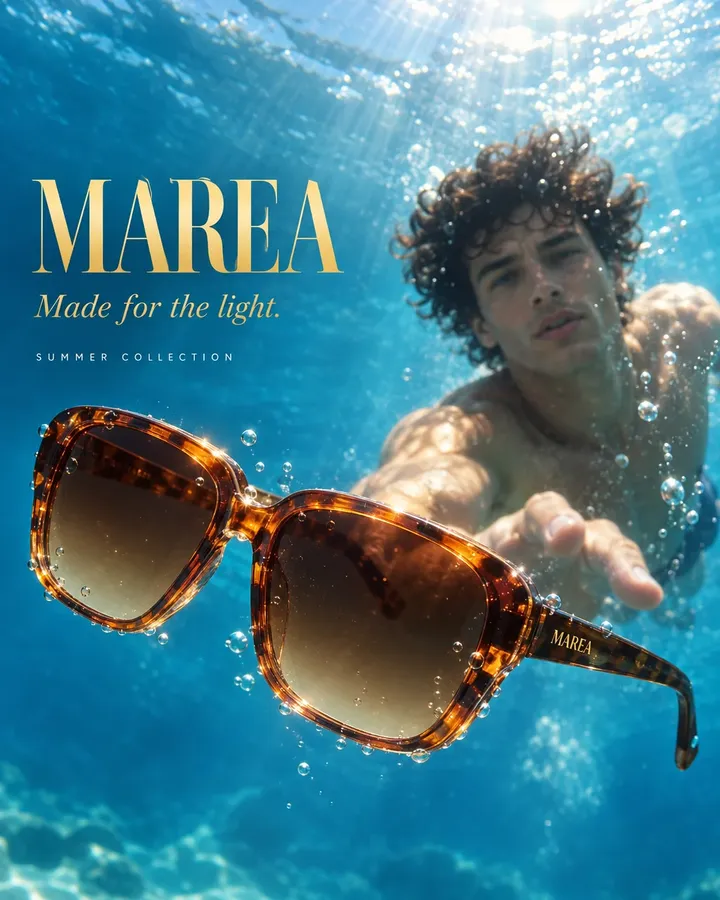
Three Instagram banners from our new MAREA sunglasses packshots and the logo. Just our line, no button on the picture.

Three designs, each in three sizes, with the frames exactly as in the packshots. The table lists what each banner says and which files it has.

TableMAREA summer banners
DesignShowsHeadlineButtonFiles
A woman holds tortoiseshell MAREA sunglasses towards the camera by the seaThe sunglasses held out to youMade for the light.None, as asked1:1, 4:5, 9:16
A woman wearing MAREA sunglasses at the waterline, the MAREA logo belowWorn at the waterlineMade for the light.None, as asked1:1, 4:5, 9:16
MAREA sunglasses floating under water as a swimmer reaches for themFloating under the surfaceMade for the light.None, as asked1:1, 4:5, 9:16

All nine files are in one ZIP. Each design has its own editor link for changes.

How it goes. The same steps every time.

Firsty follows the skill’s steps in order and stops where the choice is yours. Nothing paid starts without your yes.

  1. 1

    You share the product, logo and any words you want on the banner

  2. 2

    Firsty designs each banner on layers you can edit later

    Asks before anything paid

  3. 3

    Firsty moves each design into every size, without redrawing it

  4. 4

    Firsty looks at every size and fixes text that covers the product

  5. 5

    You get an editor link for each design to tweak it yourself

Done when

  • Your product looks exactly like in the photo
  • Text is readable and never sits on the product
  • Every size is measured to the exact pixel
  • Anything still off is named, not passed as done

At a glance.

What Ad creatives needs from you and what it hands back.

You bring
Your product shots or photos, a logo and the words for the banner: a headline, a price, a button. Say how many banners and which sizes.
Defaults
Three designs in 1:1, 4:5 and 9:16, in the look of your Brand DNA. Firsty asks at most one round of three questions.
You get
Each design in every size as a card on your board, one ZIP with all the files and a short table of headlines, buttons and files.
Editing
Every design stays on layers. The editor link lets you change a word or move the logo without starting again.
Where it goes
The board of your session and your Data Room.

Part of this skill. Each task also has its own page.

When you ask for one of these on its own, Firsty runs it with this skill.

Questions people ask.

About Ad creatives and how it fits the rest of DFIRST.

How do I make ad banners from my product photos?

Start the skill with your product shots, your logo and the words you want on the banner. Say how many banners and which sizes, or keep the defaults: three designs in 1:1, 4:5 and 9:16. Firsty designs each one on layers, checks every size and gives you an editor link per design.

Can I edit the banners after they are made?

Yes. Nothing is flattened into a single picture. Open the editor link of a design to change the headline, swap the button text or nudge the logo. You can also ask Firsty in the same session to make the change for you and send the sizes again.

What if the text covers my product?

Firsty looks at every finished size. Where a headline or a button lands on the product, it moves the text and looks again. A problem it cannot solve is named when it hands the banners over, so you see it before anything goes out.

What kind of product photo works?

A sharp photo where the whole product is visible. The banner can only be as clear as the picture you give it, so a dim or cluttered shot is worth fixing first with Phone photo fix, or placing in a new scene with Packshot to 8 lifestyle scenes.

Does it upload the ads to Meta or Google for me?

No. You get the files and an editor link per design. Uploading them, choosing the audience and setting the budget stay with you. If you already have a finished banner and only need new sizes, One master to channel formats is the shorter route.

See all 27 skills

Ask Firsty for it. It runs the skill with you.

Your request waits on this device until your access starts. DFIRST opens to people on the waitlist first.

Updated